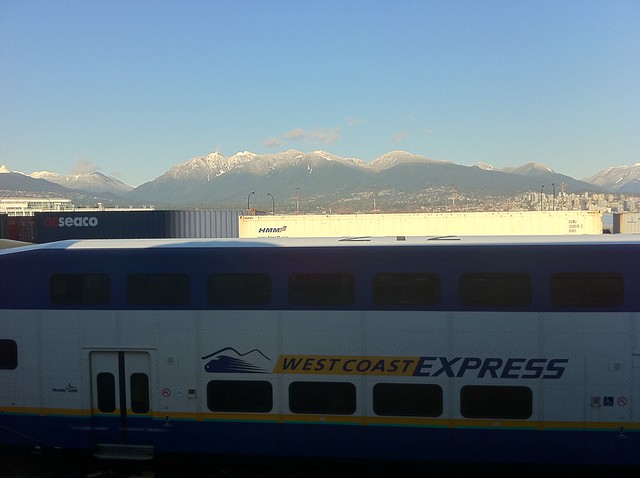
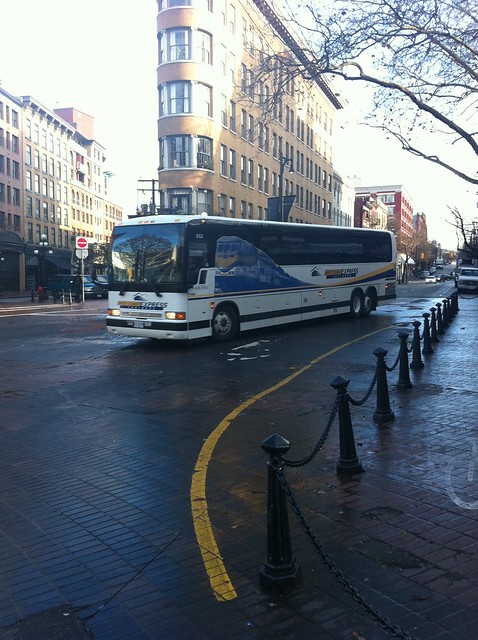
West Coast Express

The Lower Mainland's commuter train, owned by TransLink.

TransLink iPhone App Available at m.translink.ca

October 3rd, 2008
Igor Faletski's screenshot of the TransLink iPhone web app showing his bookmarked buses

More TransLink mobile integration heroism from the folks at Handi Mobility here in Vancouver: Igor Faletski today officially announces something I knew unofficially-officially yesterday via Twitter: m.translink.ca as viewed in the iPhone is a web application that gives transit riders quick access to bus, SkyTrain, West Coast Express, and SeaBus information in a pleasing interface. Users of the site can bookmark not just most-used routes but individual stops along that route, and the bookmarks themselves show the next 3 scheduled buses to arrive at that stop. It's already came in handy with a couple of trips last night. No more sending text messages and waiting to receive them for information the next bus! Now I just wait as long as the Internet takes to deliver the information.

I love the nice TransLink logo icon for when you "Add to Home Screen" and the bookmarking functionality. What, I don't have to sign up for an account to do that? Neat! I like the iconography at the top, though it's too bad there's no distinctively "Vancouver" bus that one can play off of. I like the alert bar at the top, but who has seen it change on the website? Maybe the one or two times it snows we'll get a notification that SkyTrain is down again. The part of the web app I'm not feeling is landscape mode: my expectation for landscape mode, iPod app aside (and even there it bothers me) is to see the regular portrait mode screen but wider and/or bigger text. In the case of the TransLink web app, it delivers city transit maps (and miscapitalizes the name of the regional transit authority) and in PDF form. Is it just me or can I not zoom in on them? Regardless, I don't see myself using the maps all that much. Transit is more point-to-point (how do I get from GM Place to Lougheed Mall?) than trying to find myself and where I need to go on a static map. More integration, if possible, with Google Maps' directions (or Google Transit) is needed, though Apple and/or Google have some work to get that happening.

I'm looking forward to the fully-qualified app that one can download from the App store, which promises location-awareness ("show me the buses that stop near me") and getting the Buzzer blog (coming October 6th, evidently, at buzzer.translink.ca) on the iPhone through the app. Also promised, according to a post over at Techvibes, "rider-feedback", which presumably includes a panic button or the ability to tell Coast Mountain Bus Company that their operators are taking personal calls while driving. And, hopefully, point out the awesome drivers as well.

Google Transit for Vancouver's TransLink Launches Officially Tomorrow

October 31st, 2007

The other day, Paul Hillsdon tantalized us combination transit geeks and web geeks with a graphic showing Google Transit and TransLink together, implying that Vancouver's transportation authority was going to have their routes and time schedule included in Google's maps. TransLink sent me an invitation (to an email address that I don't even use), and I posted an event listing on Urban Vancouver for the official launch, which happens tomorrow (Thursday, November 1st) at 10:30 AM at SFU's Harbour Centre Fletcher Challenge Theatre. I'll be there along with my citizen journalism and transit fan buddies documenting the event.

It turns out that Google Transit Vancouver is live: if you visit http://www.google.com/transit and type in directions for two points in Vancouver, you'll get reasonably good routes. Some are reasonable, like getting from Port Moody to Waterfront Station (it recommends the 160 in the afternoon, and the West Coast Express in the morning, though it shows it as a straight line hovering over Burnaby and Vancouver). Some aren't so great: getting from my work to UBC they recommend taking the #4 or the #8 all the way, when I would have suggested getting to Broadway and Granville via the multiple ways to do that, then take the #99 B-Line express bus to the university campus. But still, did you see that? I can now directly link to transit directions so that I can share it online. Also, you really have to force it to get a route that includes SkyTrain, which is usually faster from point to point along its route than a bus. I also found it difficult to get directions from one place name (without an address, e.g. GM Place or the various combinations of "Brentwood Station", "Brentwood Mall", and "Brentwood Town Centre"). I also hear it's hard to get a route that recommends the SeaBus. I still love you, SeaBus.

Walking indicator in Google Transit

There are nice touches, like little indications for walking, since taking transit means you're not walking from a parking spot but rather from wherever you're let off. I'd like the ability to change directions by dragging around or suggesting a route # that you might already know of, and having Google learn from what transit users contribute. Every day while riding SkyTrain I marvel at how many people take it and how much route knowledge they have based on information they get from TransLink coupled with trial and error. (There's nothing saying that the fast way to go is always the best way: I often go out of my way to walk farther and take a longer commute so that I can take both SkyTrain lines either to work or back home. In other words, I'd like a button called "optimize route for fun".) This has already been requested, but I'd also like Google Maps and its direction functionality to include bike maps for those whose commute involves that mode of transportation, and integrate it with driving and transit directions. Who says you can't bike to the SkyTrain station, lock your bike there—or take it with you—and take the train to your meeting?

This is something I've been wanting for almost two years since Google launched Transit for the Portland, Oregon area. At the time I even asked TransLink if they had plans to integrate with Google, and the answer was no. Now they have, and I commend both TransLink and Google for working together and getting this done. I'm looking forward to seeing what's possible with getting the information out of Google (e.g. a conference recommending routes from downtown and their airport and linking to them or including them inline on the conference website), and the increased ease of use over TransLink's own trip planner. Like TextBus, I anticipate using this at least twice a week.

GlobalSat GPS Admiring the West Coast Express Train

GlobalSat GPS Admiring the West Coast Express Train

- Taken at 1:11 PM on October 05, 2007 - cameraphone upload by ShoZu

Syndicate content